Real silhouettes and altitude colours
Aircraft classes now have recognisable wings, tails, engines, propellers or rotors instead of generic arrowheads.

YOUR WINDOW ON LOCAL AIRSPACE
The new ESP32-P4 receiver combines a sharper 7-inch 1024 x 600 touch display, Wi-Fi 6, 32 MB Flash and 32 MB PSRAM with live aircraft and Marine AIS views.
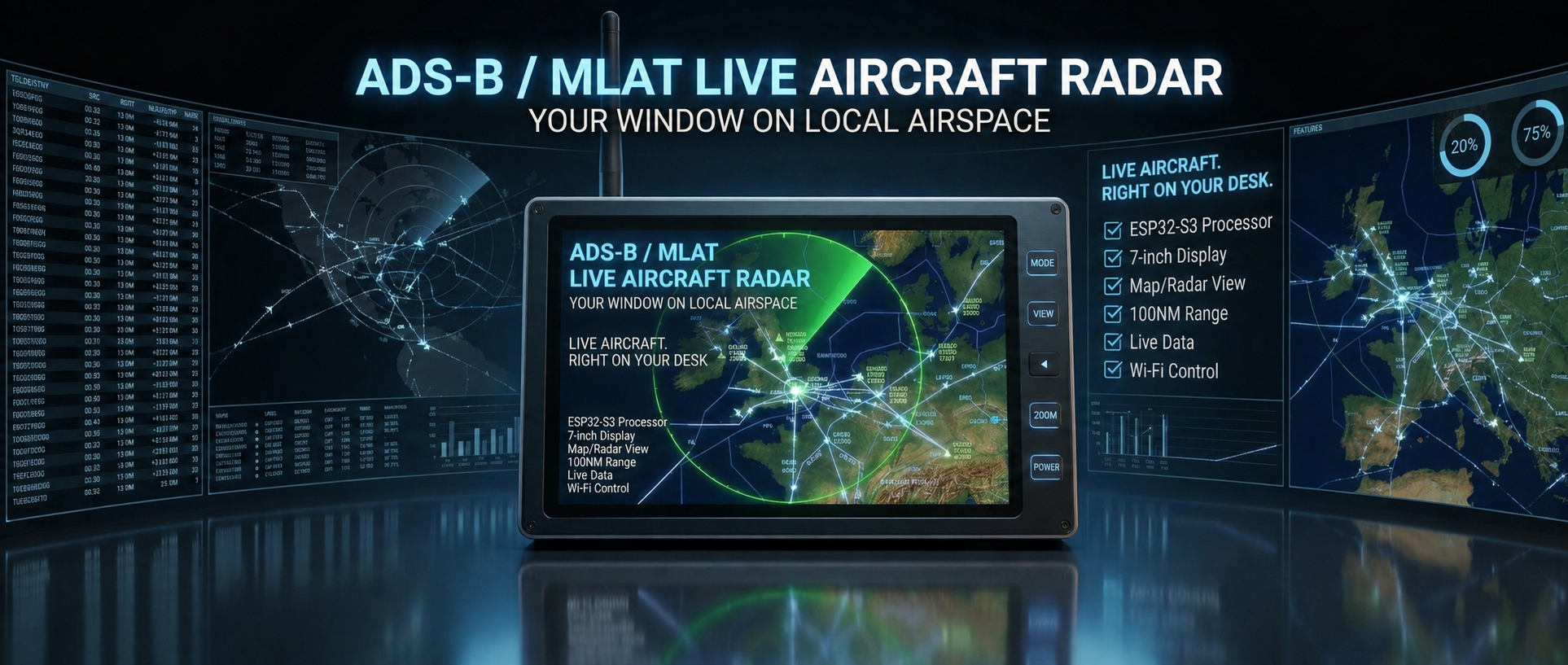
Map, radar and live aircraft data come together on one dedicated 7-inch display.
SEE THE RECEIVER IN ACTION
Watch the device running its custom aircraft-monitoring firmware, with nearby traffic presented clearly on the large colour screen.
THE ACTUAL DEVICE
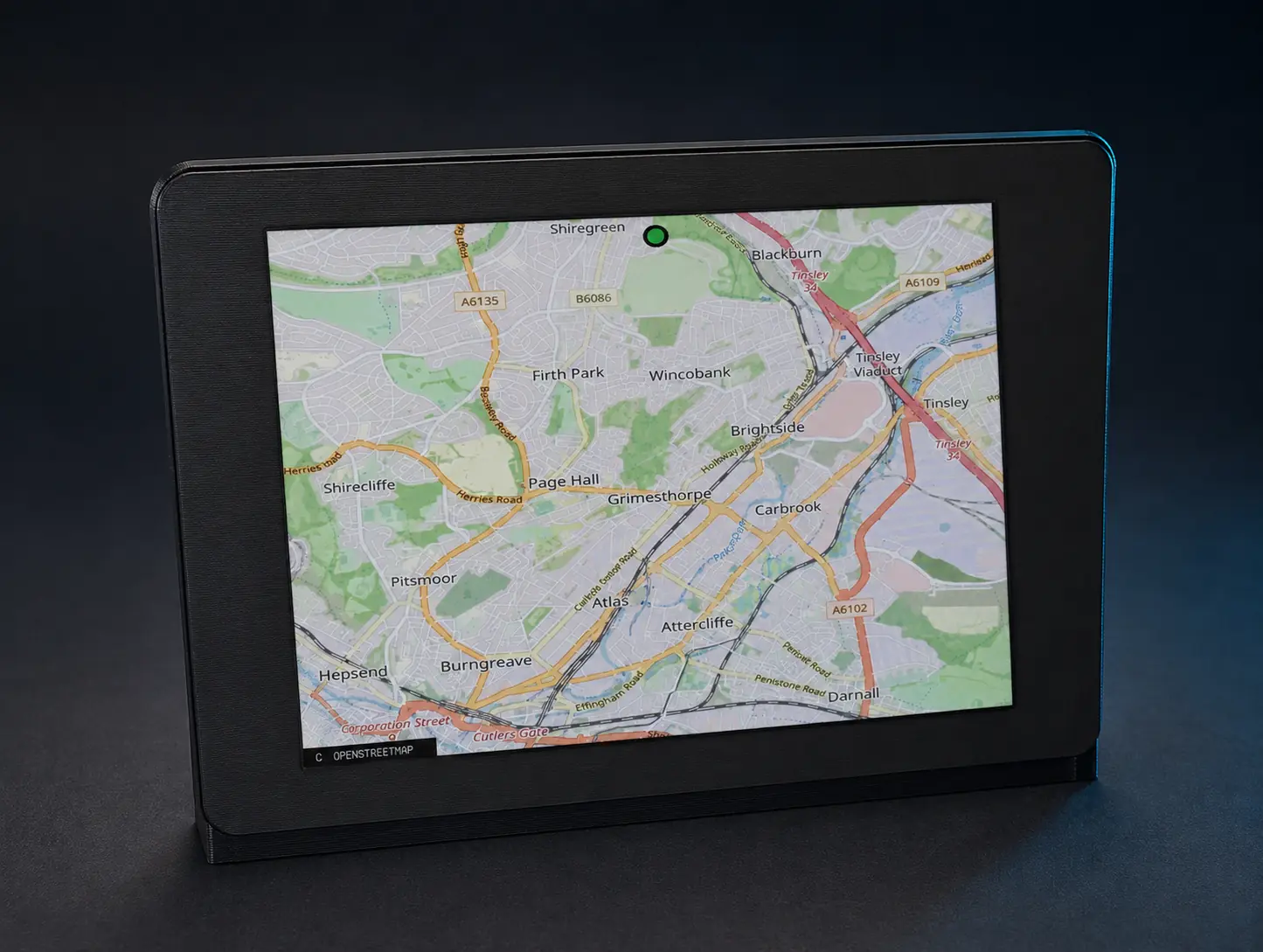
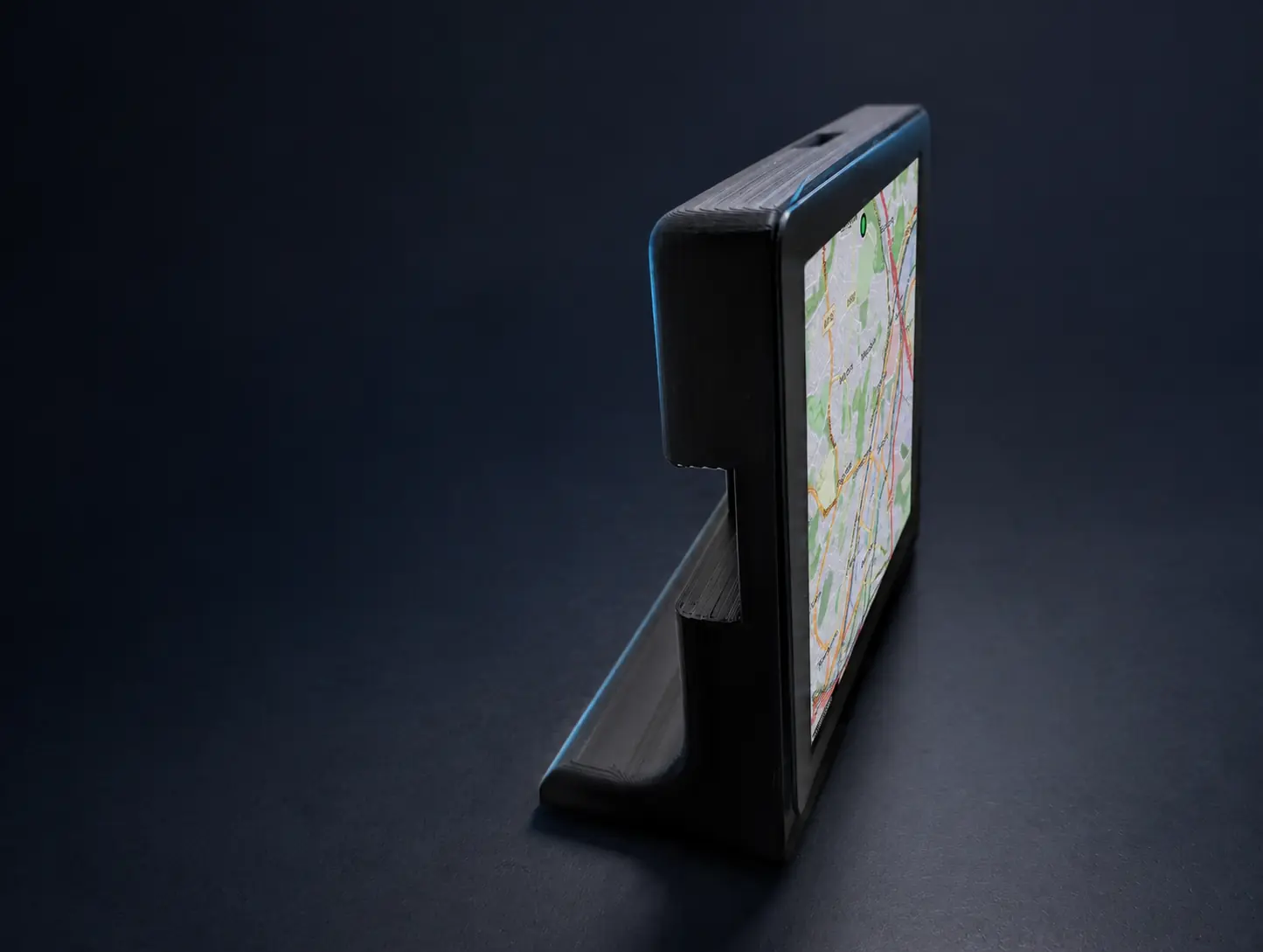
Real views of the finished receiver enclosure, including the integrated stand and custom firmware in use.

REAL SCREEN VIEWS
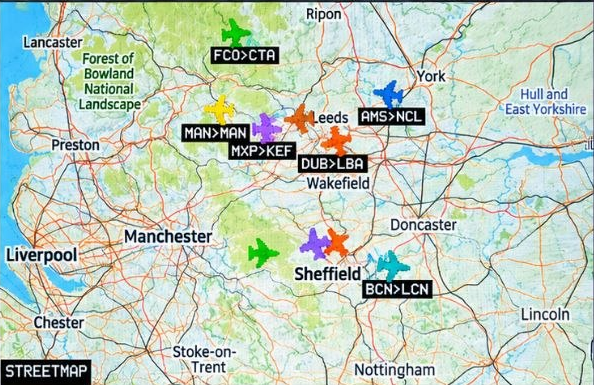
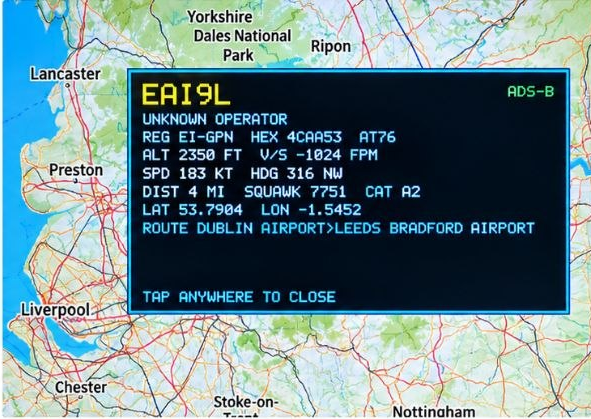
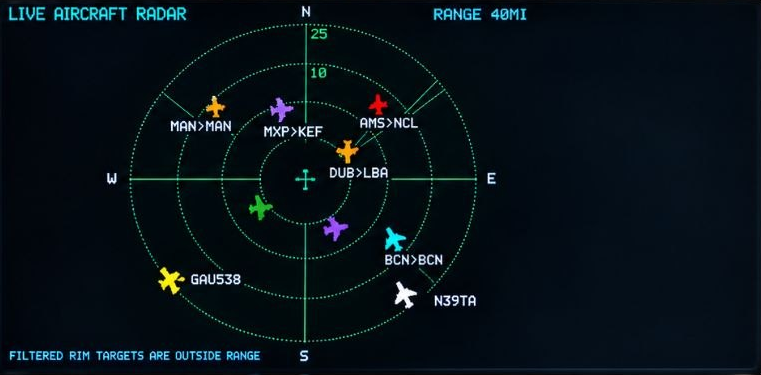
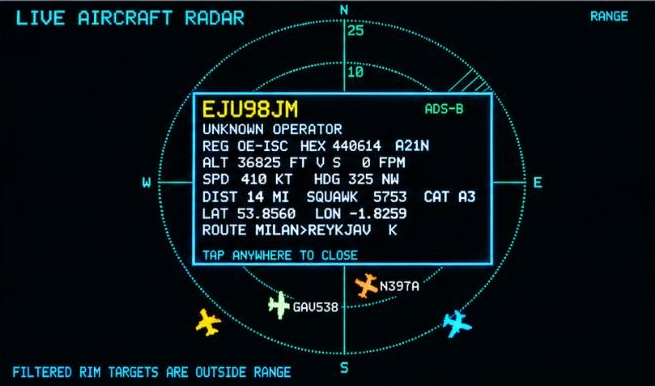
Current Map and Radar views show live aircraft around Leeds and West Yorkshire, including route labels and the expanded aircraft information panel.
NEW IN FIRMWARE v2.6.0
The current release adds clearer aircraft graphics, richer flight information, Marine AIS and optional account-based sharing.
Aircraft classes now have recognisable wings, tails, engines, propellers or rotors instead of generic arrowheads.
See operator names, origin and destination, altitude, speed, track and plain-English squawk information.
The browser map can draw recent tracks and jump directly from an aircraft row to its complete map detail.
A configurable idle view rotates through nearby aircraft with callsign, operator, route and flight details.
A dedicated Marine page plots live vessels from a configured AIS provider alongside the aircraft display modes.
The optional 2E0LXY Aggregator enriches routes, follows each receiver location and supports own-feed maps and revocable share links.
HOW v2.6.0 WORKS
The display no longer opens a separate route lookup for every callsign. The optional Aggregator performs that heavier work once and returns enriched traffic to the receiver.
The saved latitude, longitude and radius follow the device, so the requested sky is always local to that receiver.
Use the 2E0LXY Aggregator, a supported public aircraft feed, or forward your own SBS/BaseStation receiver output.
Operator, origin, destination and airport names are attached before the response reaches the display, reducing TLS and memory pressure.
Use Overview, Table, Map, Radar or Marine, follow five-minute trails, and create a revocable unlisted own-feed map when configured.
What is included and what is optional: aircraft and Marine information is network-sourced; this unit is not a direct 1090 MHz or AIS radio receiver. Aggregator accounts, AIS credentials, own-feed forwarding and public share links are optional services that require their own setup. The operating details above follow the public v2.6.0 project README; the product hardware specification is shown separately under Model.
SIX DISPLAY EXPERIENCES
Your selected page and range are saved for the next restart; the idle departure board appears only after the configured period of inactivity.
Receiver health, feed status, nearest traffic and route.
OpenStreetMap context, aircraft detail and recent trails.
Animated sweep with callsigns, range rings and tracks.
A scrollable departure-board list with operator, route and flight data.
Live AIS vessel positions and headings from a configured provider.
A rotating overhead-aircraft display that wakes on the next touch or swipe.
CONTROL FROM ANY BROWSER
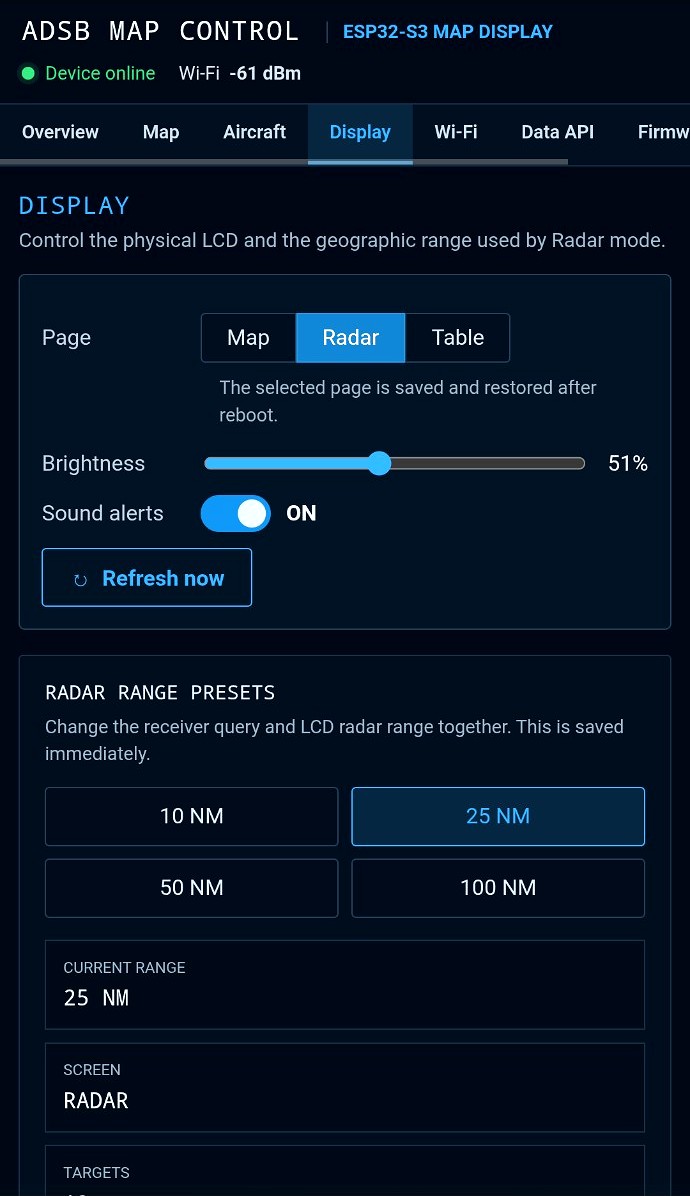
The local web control panel keeps aircraft, Marine AIS, connection health and display controls in one place.
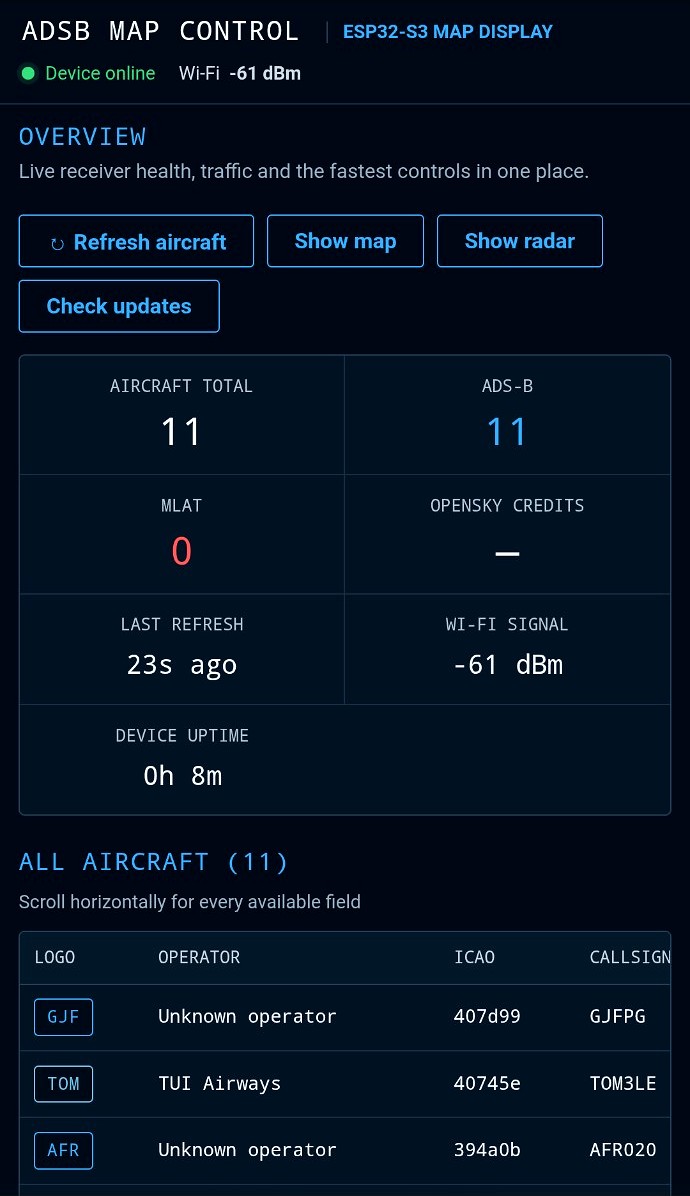
A COMPLETE CONTROL CENTRE
The password-protected administration area separates monitoring from setup and maintenance.
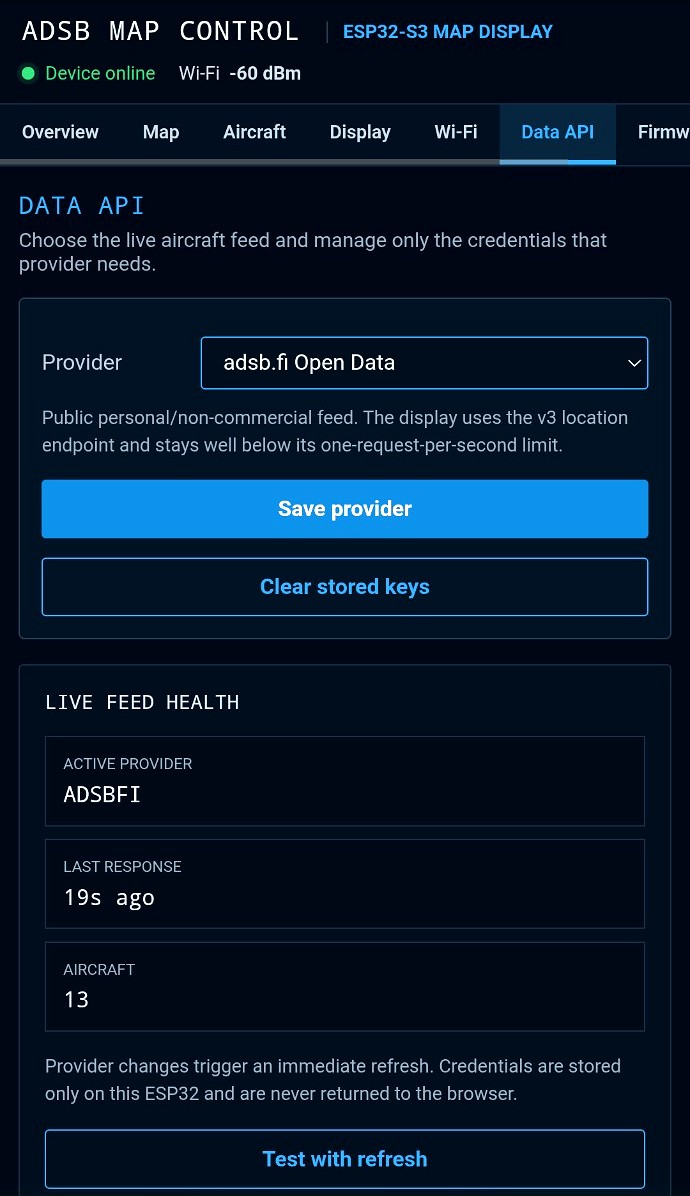
Choose the aircraft feed and see latency and aircraft count.
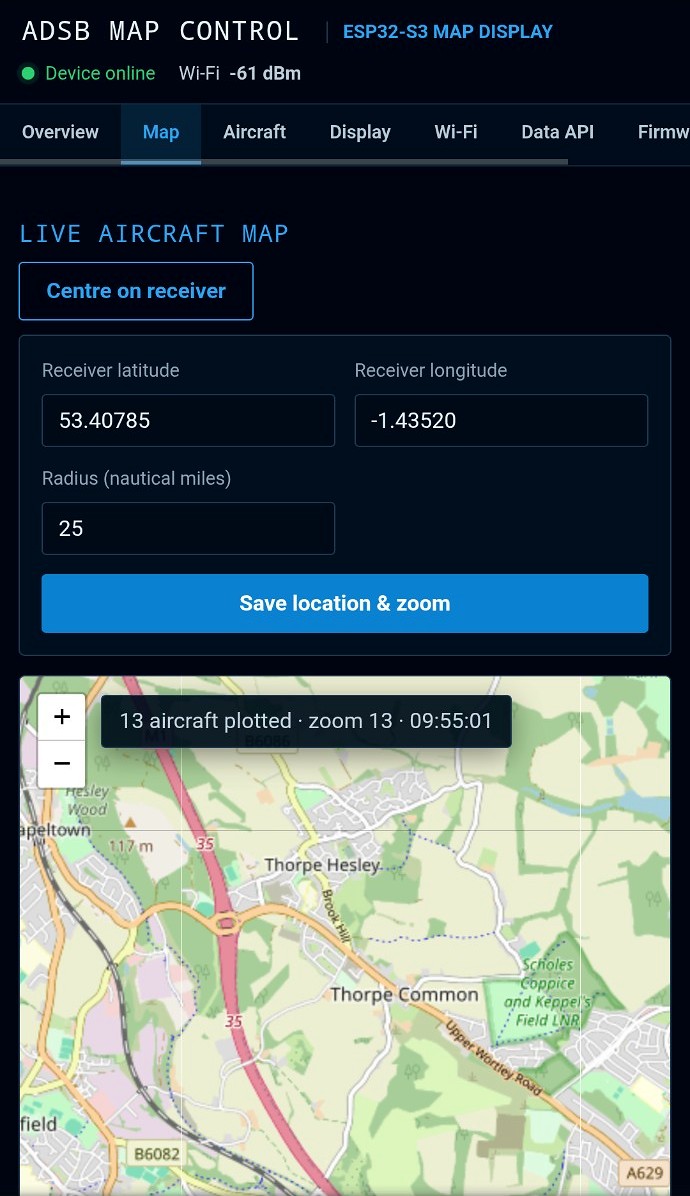
Set receiver location and the plotting area.
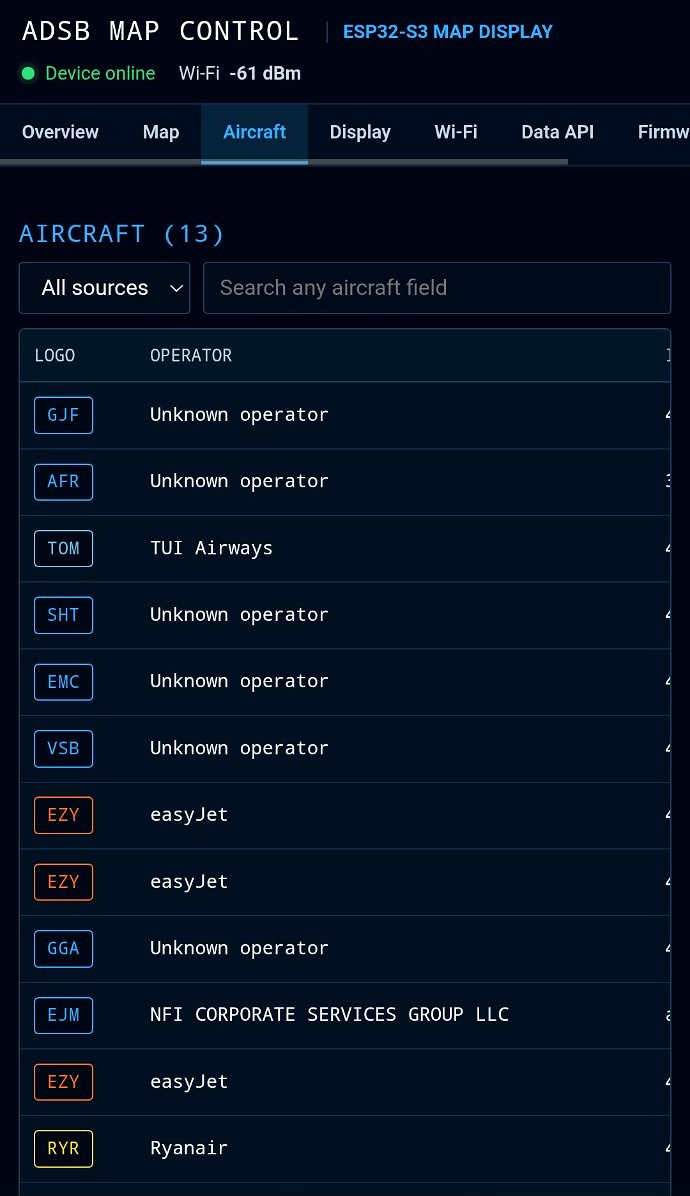
Review operator, ICAO, callsign and more.
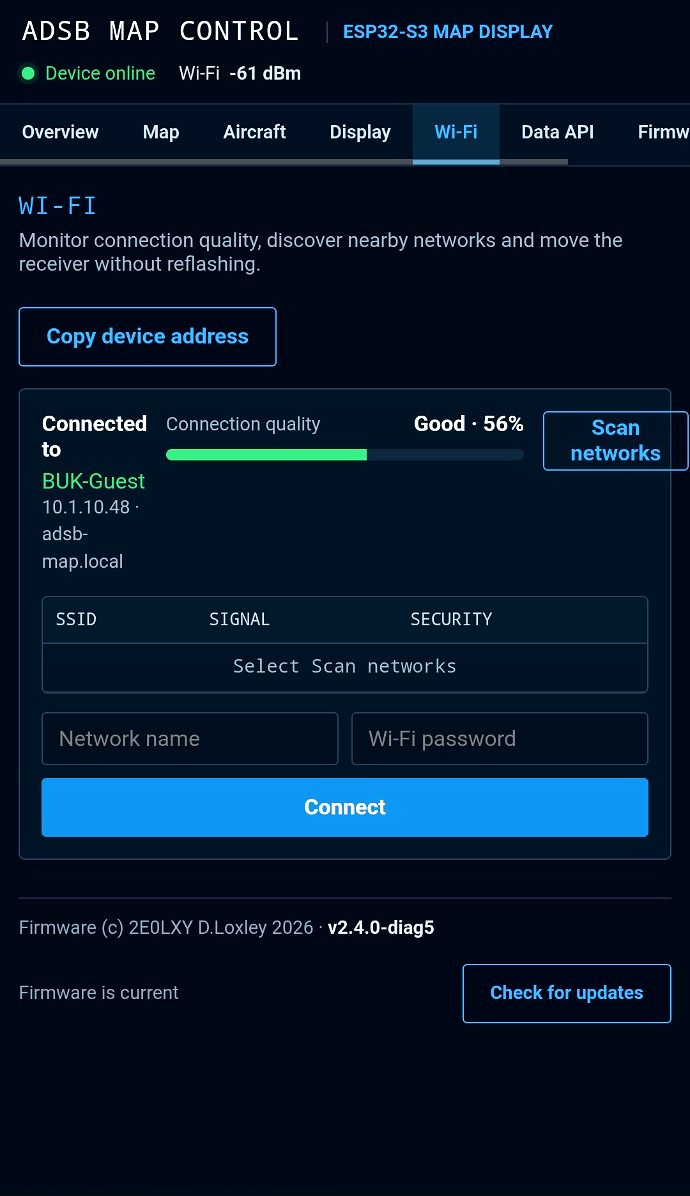
Check signal quality and scan networks.
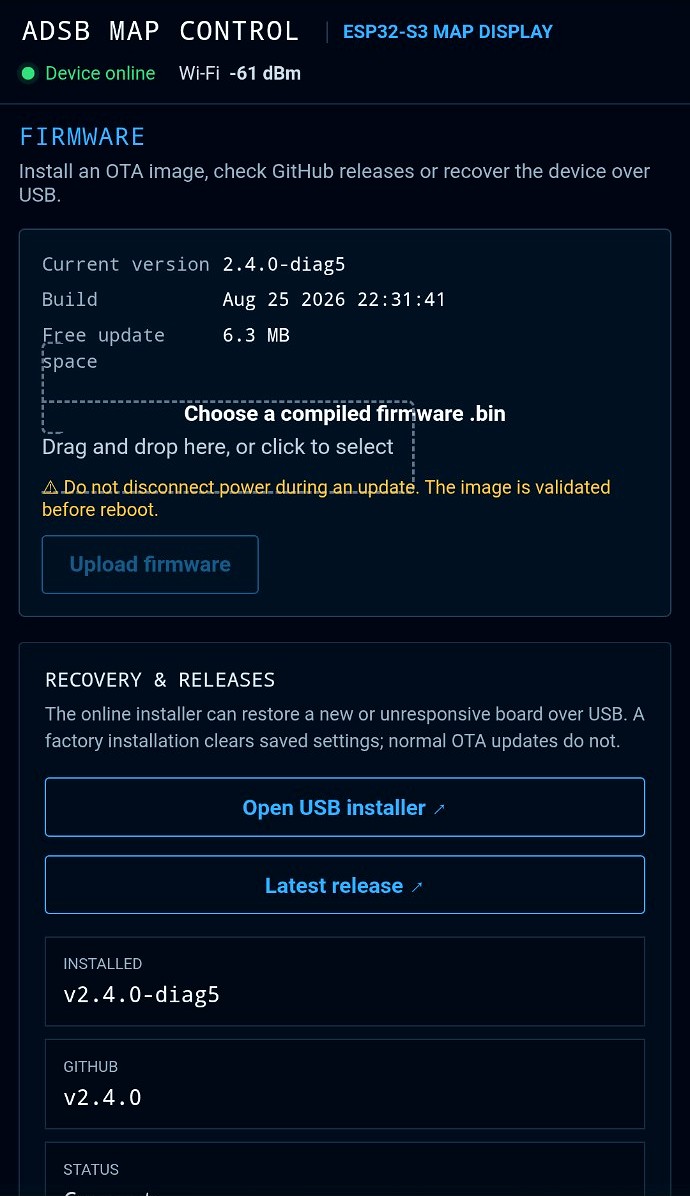
Install images, check releases and recover by USB.
ENGINEERED BEYOND THE DISPLAY
Memory, storage, updates and diagnostics are designed for day-after-day use.
Live records use PSRAM for smooth operation.
Automatic updates plus on-demand refresh.
Optional microSD with internal fallback.
Image, size, SHA-256 and signature checks.
Search identity, movement, route and state.
Useful support data without exposing secrets.
FLEXIBLE AIRCRAFT DATA
Provider health, request time, licence guidance and current aircraft count are visible in the control panel.
FROM BOX TO LIVE AIRSPACE
No antenna installation, SDR dongle or permanently running computer is required for a network aircraft-data provider.
Join the setup network and connect the receiver to 2.4 GHz Wi-Fi.
Enter the receiver location and range, then choose an aircraft provider. Add an AIS credential only if you want Marine mode.
Choose Overview, Table, Map, Radar or Marine and follow live traffic from the display or browser.
THE NEW P4 RECEIVER
Add the ESP32-P4 receiver to your basket. You can change the quantity before creating an account and paying securely.